
We meet on the first Thursday of each month to review our 12×12 portfolios and to discuss what images could be added/removed.
Here is the process:
Step 1: Be ready to share your screen
We will go round each person on the group call and they will share their screen with the group as we run through the following steps.
Step 2: Have your current portfolio open
Ideally you’ll be using the Photography Explained Toolkit to manage your portfolio.
If that is the case all you have to do is to login to your Toolkit account so you can show us your current 12×12 portfolio.
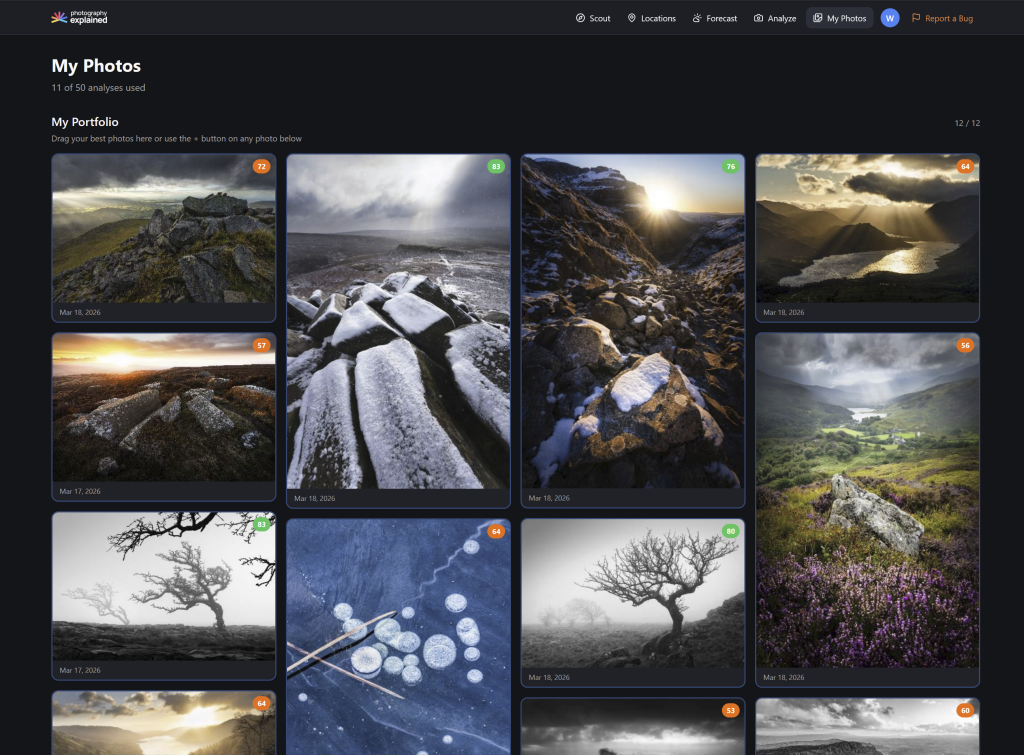
If you’d like to use a different platform to visually share your portfolio that is fine but please make sure that it’s easy for everyone else on the call to view.
Step 3: Share the images that you’re considering adding to the portfolio this month
The images to consider may be brand new images, they might be older images that you have rediscovered or even the same images that are already in your portfolio but re-edited to a higher standard.
Either way, have them available in a folder on your computer to pull up full screen for feedback from the group.
Step 4: Make the changes
If you’ve managed to improve upon your current portfolio, then bask in the glory of your new images and add them to your 12×12 portfolio.
Time to celebrate and then move onto the next student to run through their portfolio.
Notes:
- Please be conscious of the other people on the call as we need to get through everyone and we only have a finite amount of time each month.
- This isn’t really the space for deep feedback on a whole bunch of images. That can be done by posting to the community or on the weekly group coaching calls.